The Day the Backup Worked — And We Still Lost Everything
Listen, I once watched a perfectly executed, cryptographically verified, triple-redundant offsite backup turn into a 4TB paperweight because someone forgot to export the KMS keys.
It was a Tuesday. The monitoring dashboards were painted in a serene, comforting green. Our cron jobs had fired off at 02:00 UTC exactly as designed. The rsync streams completed with an exit code of 0. The PostgreSQL Write-Ahead Logs (WAL) had been neatly archived to an immutable S3 bucket, and our checksums matched flawlessly. We had achieved what we tend to call “business continuity.”
And then, at 09:14 AM, a junior developer with root access and a profound misunderstanding of the rm -rf command obliterated our primary database cluster. No problem, we thought. We have backups. We have great backups. We swaggered into the disaster recovery protocol with the unearned confidence of people who had read the manual but never actually been punched in the face.
Four hours later, the CEO was crying, and the CTO was updating his LinkedIn profile.
The Illusion of Safety
We successfully downloaded the backup archives. They were pristine. We unzipped them using tar -xzvf, passing the --numeric-owner flag to ensure we didn’t butcher the file permissions during extraction. The data was all there. Every single byte.
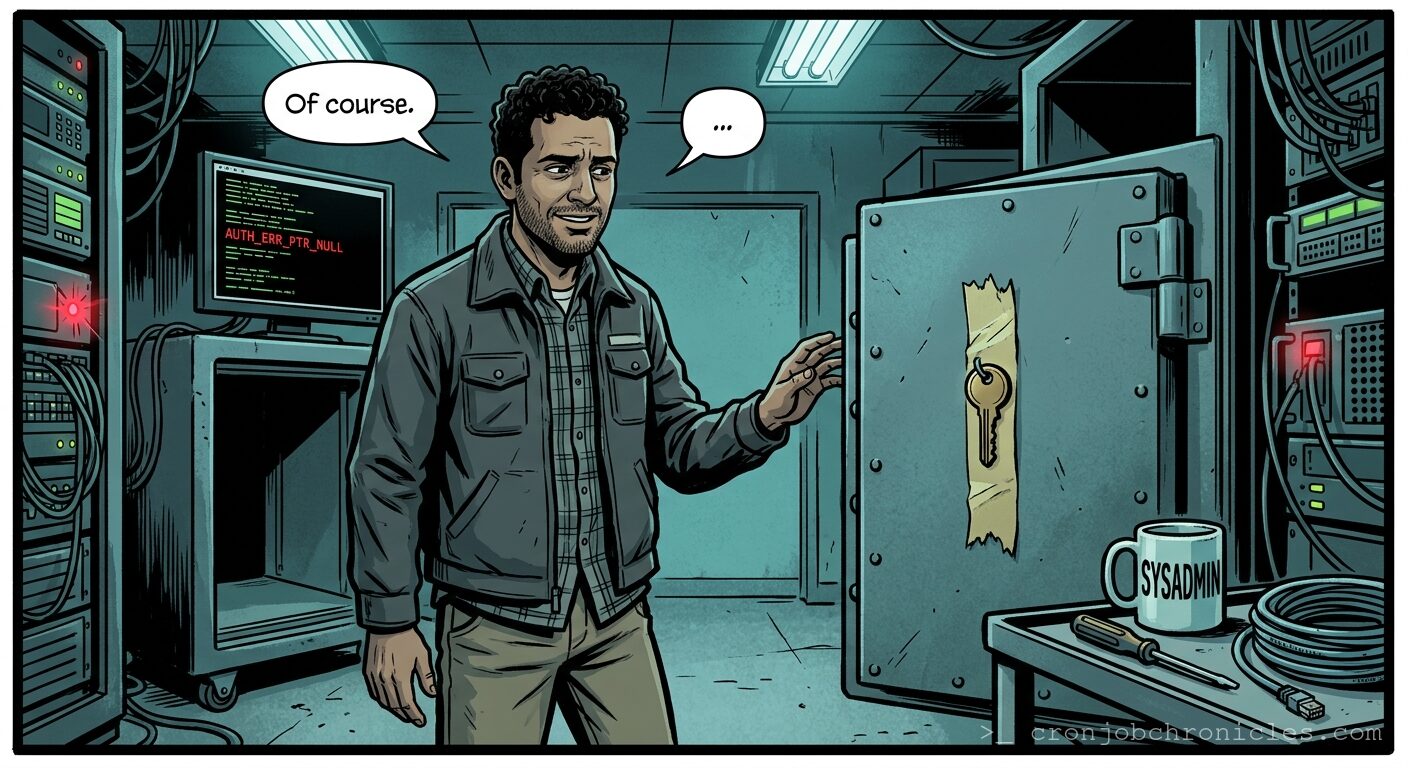
So, what went wrong? We backed up the encrypted database volumes, but the LUKS (Linux Unified Key Setup) passphrase was stored in a HashiCorp Vault instance… which was hosted on the very same cluster that had just been vaporized. The keys to the kingdom were locked inside the castle, and we had just meticulously restored a perfect, mathematically unbreakable brick wall.
We ask ourselves, “Did the backup work?” But it might be that this initial question is itself misleading. Are we trying to recover a system, or are we trying to recover the feeling of control we had yesterday? When we obsess over bandwidth limits, compression ratios, and retention policies, we might just be hiding from the fact that a system is more than its bytes. It is the human context, the external dependencies, the forgotten encryption keys, the DNS propagation delays. If you lose the context, the data is just high-entropy noise.
Perhaps what we tend to call a “disaster recovery plan” is just the system’s way of revealing that our entire architecture was built on a foundation of unexamined assumptions.
Prerequisites for Disaster
Before you can truly experience the hollow despair of a successful, useless backup, you will need the following:
- A false sense of security: Usually generated by an automated email that says
Backup Status: SUCCESS. - Cryptographic Hubris: AES-256 encryption applied to everything, with the keys stored “somewhere safe” that nobody has checked since 2019.
- A Production Environment: Preferably one that has drifted significantly from your Infrastructure as Code (IaC) definitions through years of undocumented, late-night hotfixes.
The Waiting Game: Preserving SysAdmin Sanity
When you are staring at a terminal, waiting for 4TB of data to transfer from a cold-storage cloud bucket back to your bare-metal servers, time ceases to function normally. You cannot speed it up. You cannot intervene. You can only sit there and let the existential dread wash over you.
To survive this agonizing window, I rely on a production-grade Bash script. Not to fix the server—the network layer is already saturated—but to regulate my own biological systems. Here is the script I run when the data center is on fire and I need to brew the perfect pour-over coffee to maintain my grip on reality.
#!/usr/bin/env bash
# ==============================================================================
# Script Name: sanity_preservation.sh
# Description: A highly robust, error-handled coffee brewing timer for SysAdmins
#              waiting on multi-terabyte disaster recovery restores.
# ==============================================================================

# Strict mode: exit on error, exit on undefined variable, fail fast on pipes.
set -euo pipefail

# --- Variables ---
readonly BREW_PHASES=("Bloom" "First Pour" "Second Pour" "Drawdown")
readonly PHASE_DURATIONS=(45 30 45 60) # in seconds
readonly LOG_FILE="/tmp/dr_coffee_brew_$(date +%s).log"

# --- Error Handling & Cleanup ---
cleanup() {
    local exit_code=$?
    if [[ ${exit_code} -ne 0 ]]; then
        log_message "ERROR" "Brew process interrupted! Coffee may be under-extracted. Panic."
    else
        log_message "INFO" "Brew complete. Prepare to face the users."
    fi
    exit "${exit_code}"
}
trap cleanup EXIT ERR SIGINT SIGTERM

# --- Logging Function ---
log_message() {
    local level="$1"
    local message="$2"
    local timestamp
    timestamp=$(date +'%Y-%m-%d %H:%M:%S')
    echo "[${timestamp}] [${level}] ${message}" | tee -a "${LOG_FILE}"
}

# --- Main Logic ---
log_message "INFO" "Initializing disaster recovery coffee protocol..."
log_message "INFO" "Water temperature target: 93°C (200°F)."

for i in "${!BREW_PHASES[@]}"; do
    phase="${BREW_PHASES[$i]}"
    duration="${PHASE_DURATIONS[$i]}"

    log_message "INFO" "Starting phase: ${phase}. Waiting ${duration} seconds."

    # Simulating the agonizing wait of a slow disk I/O operation
    for (( s=1; s<=duration; s++ )); do
        sleep 1
        # Print a non-newline dot every 5 seconds to show progress, like tar -v
        if (( s % 5 == 0 )); then
            echo -n "."
        fi
    done
    echo "" # New line after the dots
    log_message "INFO" "Phase '${phase}' completed successfully."
done

log_message "INFO" "Coffee extraction finished. Return code 0."
Edge Cases and Systemic Failures
Even if you have your coffee, and even if you actually remembered to back up your encryption keys, the universe has a way of testing your resolve. You must consider the edge cases of restoration:
- Logical Corruption: What if the application silently started writing corrupted data three days ago? Your backup worked flawlessly—it perfectly captured the corruption. Restoring it just puts you back into a broken state.
- Network Interruptions: You are 98% done downloading the archive when the SSH session drops. If you didn't use
rsync --partial --append-verifyor run the process inside atmuxorscreensession, you are starting over from zero. - The Dependency Trap: The restored database comes online, but the application refuses to start because the third-party API it authenticates against revoked your IP address when the primary server went offline. The data is alive, but the ecosystem is dead.
The Only Thing That Matters: How to Restore
A backup is not a backup; it is merely a candidate for a future restore. If you take nothing else away from my two decades of watching servers catch fire, take this: your backup script is worthless without a rigorously tested restoration protocol.
Here is how you actually restore a system so that it survives contact with reality:
Step 1: The Isolated Sandbox
Never restore directly over the ashes of your production environment unless you have literally zero alternative hardware. Spin up an isolated VPC or an air-gapped VLAN. You need to verify the integrity of the data before you let it talk to the public internet.
Step 2: Key Retrieval First
Before you move a single gigabyte of encrypted data, verify that you have the keys required to unlock it. If your keys are managed by a KMS, ensure your disaster recovery environment has the IAM roles and permissions necessary to assume the decrypt privileges.
Step 3: The Context Rebuild
Data without schema is garbage. Restore your IaC configurations first. Rebuild the virtual machines, the load balancers, and the networking routes. Apply your Ansible playbooks or Terraform modules so the restored data has a familiar home to return to.
Step 4: The Data Injection
Once the environment is ready and the keys are in hand, stream the data back. If you are dealing with a database, you don't just dump the files. You restore the base backup, and then you apply the WAL archives sequentially to replay the transactions right up to the point of failure. This is where you monitor the PostgreSQL logs meticulously for FATAL: archive command failed errors.
Step 5: The Sanity Check
Do not tell management the system is up just because the database daemon started. Run your application tests. Have your application query the data. Verify that the application can write new data. Only then do you update DNS to point traffic to the restored cluster.
We build these intricate mechanisms to preserve the past, hoping it will save us in the future. But it might be that true resilience isn't found in a tar archive. It's found in a team's ability to rebuild the context from scratch when the archive inevitably fails them.
Now, if you'll excuse me, I have a Kubernetes orchestration loop that's been crash-looping since 3 AM, and it doesn't care about your feelings.