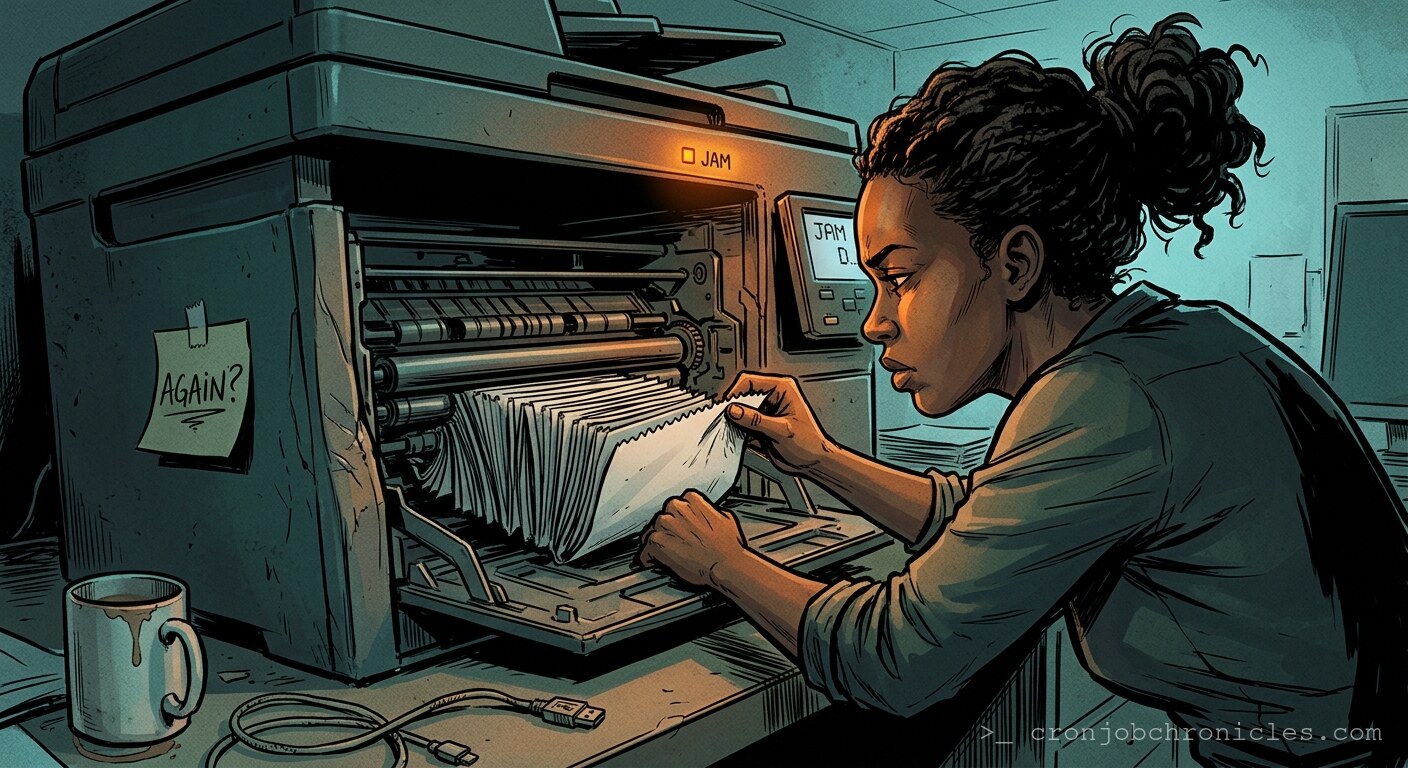
Listen, printers are the only piece of hardware in your stack that still believes it’s living in the 1990s, and frankly, they’re holding a grudge.
I’ve spent two decades wrestling with bare-metal clusters and distributed systems that handle petabytes of ephemeral data with the grace of a swan. Yet, every time I walk past an office printer, I’m reminded of the fragility of our civilization. We’ve mastered container orchestration, we’ve moved to serverless compute, and we can survive a total cloud region failure with a few lines of Terraform. And yet, the HP LaserJet in the corner? It’s still failing because a sensor misread the humidity in the room, effectively throwing a segmentation fault for a piece of cellulose.
Why haven’t we solved paper jams? Is it because engineers are incompetent? No. It’s because the printer is a legacy system that defies the very laws of modern reliability engineering. It is an IO device that insists on being a physical state machine in a digital world. It’s a distributed system where the “remote node” is a piece of dead wood, and the “protocol” is mechanical friction.
The Architecture of Failure
In the data center, when a drive fails, we swap it. We have RAID, we have redundancy, we have heartbeat signals. The printer, however, treats every page as a high-stakes transaction that requires a literal physical commit. If the paper doesn’t align perfectly with the timing rollers, the entire system enters a kernel panic. It doesn’t just skip the page; it grinds to a halt, demanding manual intervention—the ultimate “human-in-the-loop” bottleneck.
Sometimes I wonder if we’re asking the wrong question. We blame the printer, we curse the paper tray, we throw our hands up at the “PC LOAD LETTER” error. But maybe the problem isn’t the hardware. Maybe the problem is the arrogance of our digital expectation: that a document, which exists as a ethereal set of bits in memory, has any right to manifest in the physical world without incident. Is the jam a failure of the machine, or is it a reality check? A sudden, tactile reminder that entropy is still the primary operator in our universe?
The “Pre-Flight” Checklist
Before you engage with any peripheral that requires mechanical movement, you need to ensure your environment is hardened. Just like you wouldn’t run a production database on a partition that’s 99% full, you shouldn’t expect a printer to work if you’re ignoring these prerequisites:
- Environment Stabilization: Printers are humidity-sensitive. If your office air is dryer than a backup tape vault, expect static cling to treat your paper stack like a magnetically repelled disk platter.
- Physical Path Auditing: Treat the paper path like a fiber optic run. If there’s a stray staple or a torn scrap from 2014, the throughput will drop to zero.
- Firmware Hygiene: If you aren’t running the latest vendor firmware, you aren’t just vulnerable to security exploits; you’re running a legacy protocol stack that probably doesn’t understand modern document headers.
The Daily Ritual: A Script for Sanity
Since we are forced to coexist with these analog anomalies, we might as well automate the aspects of office life that don’t involve mechanical failure. Here is a production-grade Bash script to manage your caffeine intake, which is the only thing standing between you and a total system shutdown when the printer inevitably jams.
#!/bin/bash

# CAFFEINE_RECOVERY_PROTOCOL.sh
# Usage: ./caffeine_recovery.sh [level]

set -euo pipefail
IFS=$'\n\t'

LOG_FILE="/var/log/office_sanity.log"

log() {
    echo "$(date '+%Y-%m-%d %H:%M:%S') - [INFO] - $1" | tee -a "$LOG_FILE"
}

brew_coffee() {
    local level=$1
    log "Initiating caffeine injection at intensity: $level"
    sleep 2
    log "Grinding beans... (simulating physical IO)"
    sleep 5
    log "Brewing... (waiting for hot-swappable water heater)"
    sleep 10
    echo "☕ Coffee is ready. System readiness restored."
}

# Ensure we have enough fluids to handle the frustration of a printer jam
if [ $# -eq 0 ]; then
    log "No intensity level specified. Defaulting to 'Emergency'."
    brew_coffee "CRITICAL"
else
    brew_coffee "$1"
fi
Restoration: When the Jam Happens
When the system flags a jam, don’t panic. You are merely performing a manual interrupt. The restoration process is simple, though tedious:
- Drain the Buffers: Cancel all pending print jobs via the print queue manager. Do not try to “resume” a failed job. It will only result in a recursive failure loop.
- Physical Reset: Open the chassis. Locate the obstruction. Remove the offending paper fragment with the precision of a surgeon clearing a corrupted block on a RAID array.
- Validation: Ensure the rollers are clean. If they look like the wheels on a worn-out server rack, wipe them with a damp cloth.
- Restart Services: Toggle the power switch—the universal “have you tried turning it off and on again” remains the most effective way to clear a volatile state.
It’s funny, in a way. We think we’ve transcended the machine. We talk about the “Cloud” like it’s a celestial construct, ignoring the fact that it’s just someone else’s data center with better air conditioning than ours. We think we’ve solved the problem of output by pushing everything to screens, and yet, the moment we need that one physical copy, the universe reminds us of who’s actually in charge: the friction, the gravity, and the printer that simply refuses to cooperate.
I find myself questioning if we even want paperless offices. Perhaps we hold onto these printers precisely because they keep us grounded—a reminder that no matter how elegant our code is, it still relies on a physical world that hates being told what to do.
Now, if you’ll excuse me, the monitoring dashboard just turned blood-red because a core switch in the basement is throwing thermal warnings and doesn’t care about my philosophical musings on paper jams.